Many Bloggers, currently publishing by FTP to external servers, need to plan for a somewhat immediate move of their blogs back to Blogger and Google servers.
No matter how you look at it, this is a manual process. This week, an FTP Publishing Migration Tool, stated to be available 2/22, developed to support the immediately required migration, will mitigate some of the tedium and uncertainty that's described below.
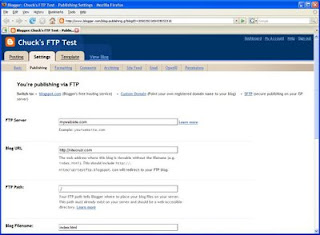
Start from the Settings - Publishing screen. See the advice for "Blog URL"?
"nitecruzrtestftp.blogspot.com will redirect to your FTP blog."
That's the current BlogSpot alias, and soon will be the only URL.
Just select "Switch to: • blogspot.com".
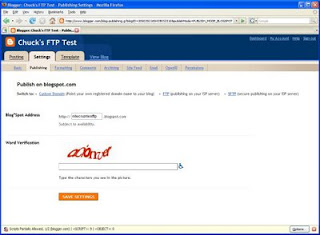
Endure yet another CAPTCHA.
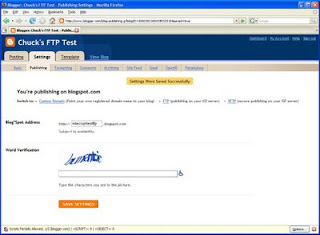
You're done. You're publishing on blogspot.com. And see the Blog*Spot Address?
Just don't try hitting "Save Settings" again.
Home again. Now, if you like, move to a custom domain. Or not.
>> Top
No matter how you look at it, this is a manual process. This week, an FTP Publishing Migration Tool, stated to be available 2/22, developed to support the immediately required migration, will mitigate some of the tedium and uncertainty that's described below.

Start from the Settings - Publishing screen. See the advice for "Blog URL"?
"nitecruzrtestftp.blogspot.com will redirect to your FTP blog."
That's the current BlogSpot alias, and soon will be the only URL.
Just select "Switch to: • blogspot.com".

Endure yet another CAPTCHA.

You're done. You're publishing on blogspot.com. And see the Blog*Spot Address?
Just don't try hitting "Save Settings" again.
Home again. Now, if you like, move to a custom domain. Or not.
>> Top
Comments
That's a very broad question. It can be safe, but maybe you could post in Blogger Help Forum: How Do I?, or in Nitecruzr Dot Net - Blogging, for detailed discussion and proper peer support? That's the right thing to do.